top of page

Teacher / Staff Tutorials
Enroll In A Live Training
1. SIGN IN TO THE CONTENTMENT PLATFORM
-
Go to Contentment.org. Click Sign In.
-
Enter your Email Address. Click Continue.
-
If you see “Error - Email Not Registered”, please reach out to your Admin to be invited to the Platform.
-
-
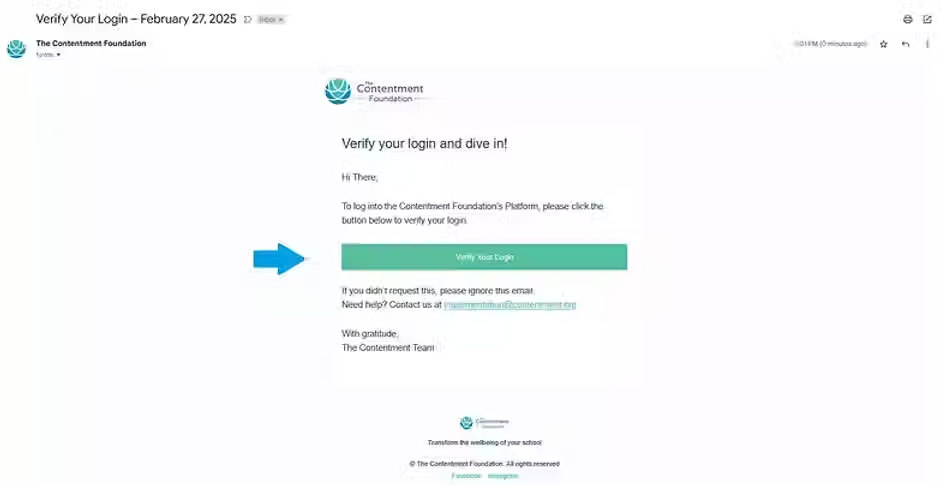
Open the Email in your inbox titled "Verify your Login". Click Verify your Login.
-
A new tab will open, directing you to the Contentment Platform.



2. GO TO THE LIVE TRAINING PAGE
-
Hover over Training in the top toolbar, Click on Live Training.

3. ENROLL IN THE LIVE TRAINING
-
Find the Live Training for your school. Click View Details.
-
Click Enroll.


4. ADD EACH TRAINING SESSION TO YOUR CALENDAR
Make sure you don’t miss a session! Repeat this process for all sessions.
-
Click Add to Calendar. Select your calendar.
-
Add each Live Training session to your calendar.


🚀See you in the Live Training!
Still curious about your queries ?
Don’t hesitate to ask — write to us at info@contentment.org
bottom of page