

Teachers and staff
Access a live training session
Sign in, find your session, join it on Zoom, and add the rest to your calendar.
-
Sign in to the Contentment platform
Go to Contentment.org. Click Sign In.
Enter your Email Address. Click Continue.
Open the Email in your inbox titled "Verify your Login". Click Verify your Login.
A new tab will open, directing you to the Contentment Platform.
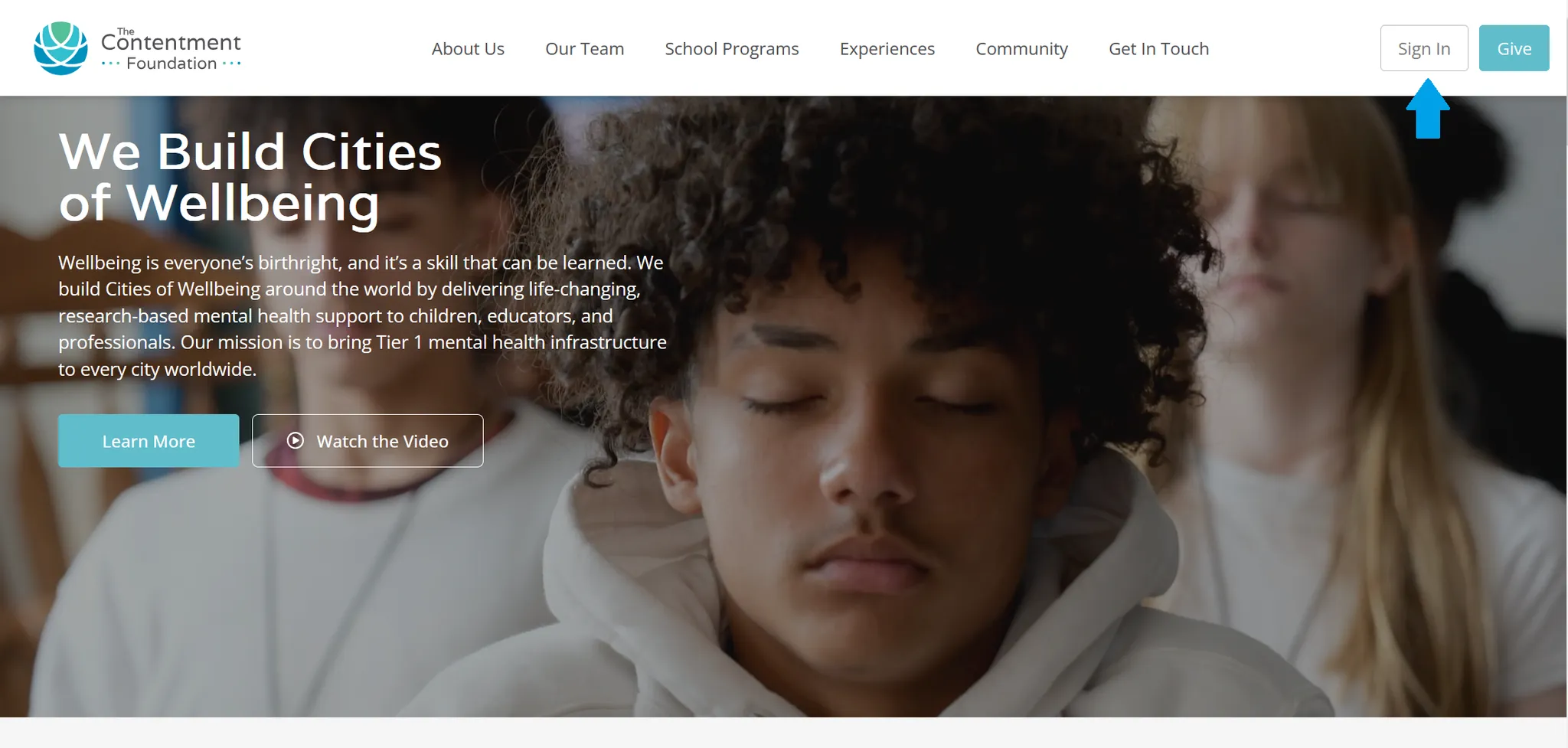
The Contentment sign-in screen 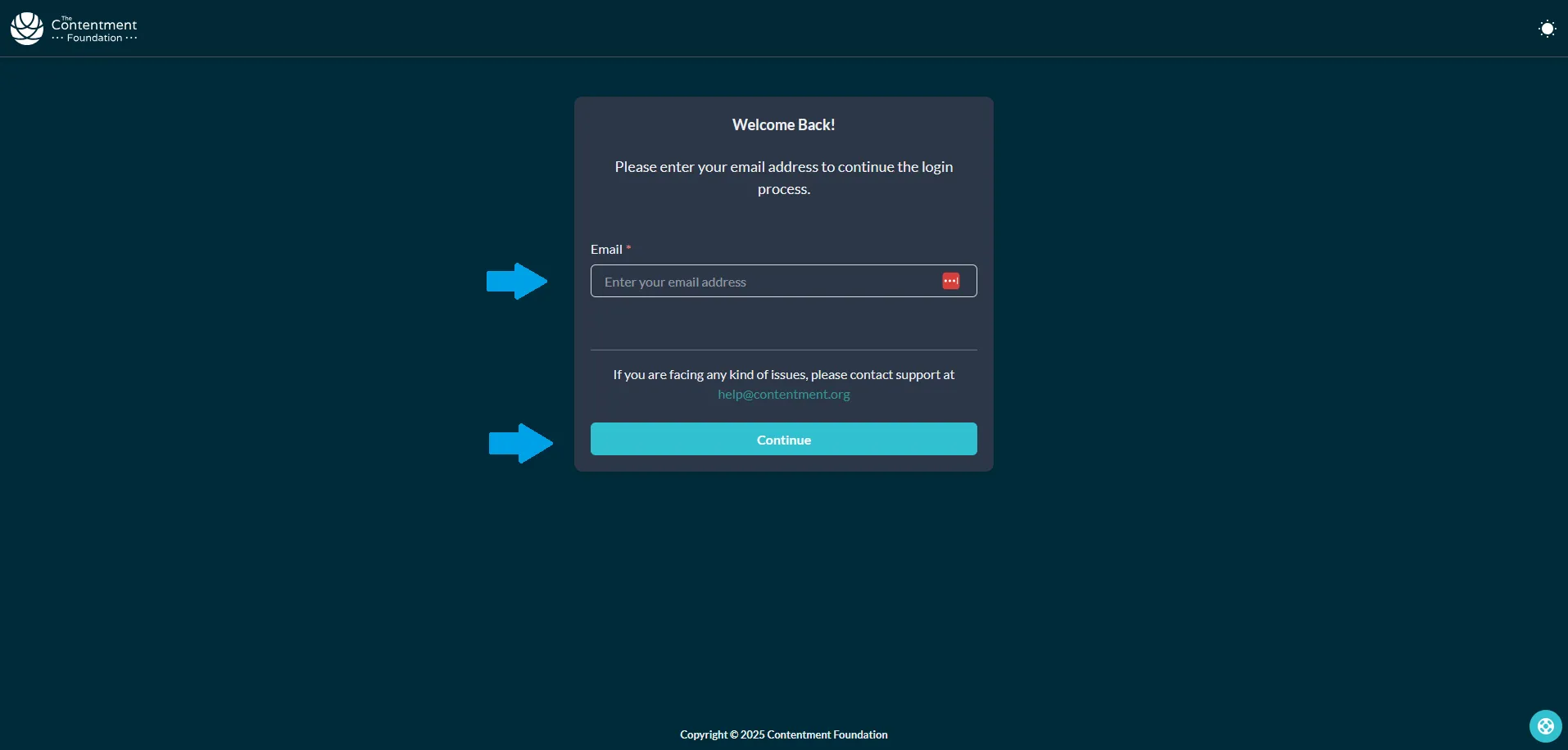
Entering your email address to continue 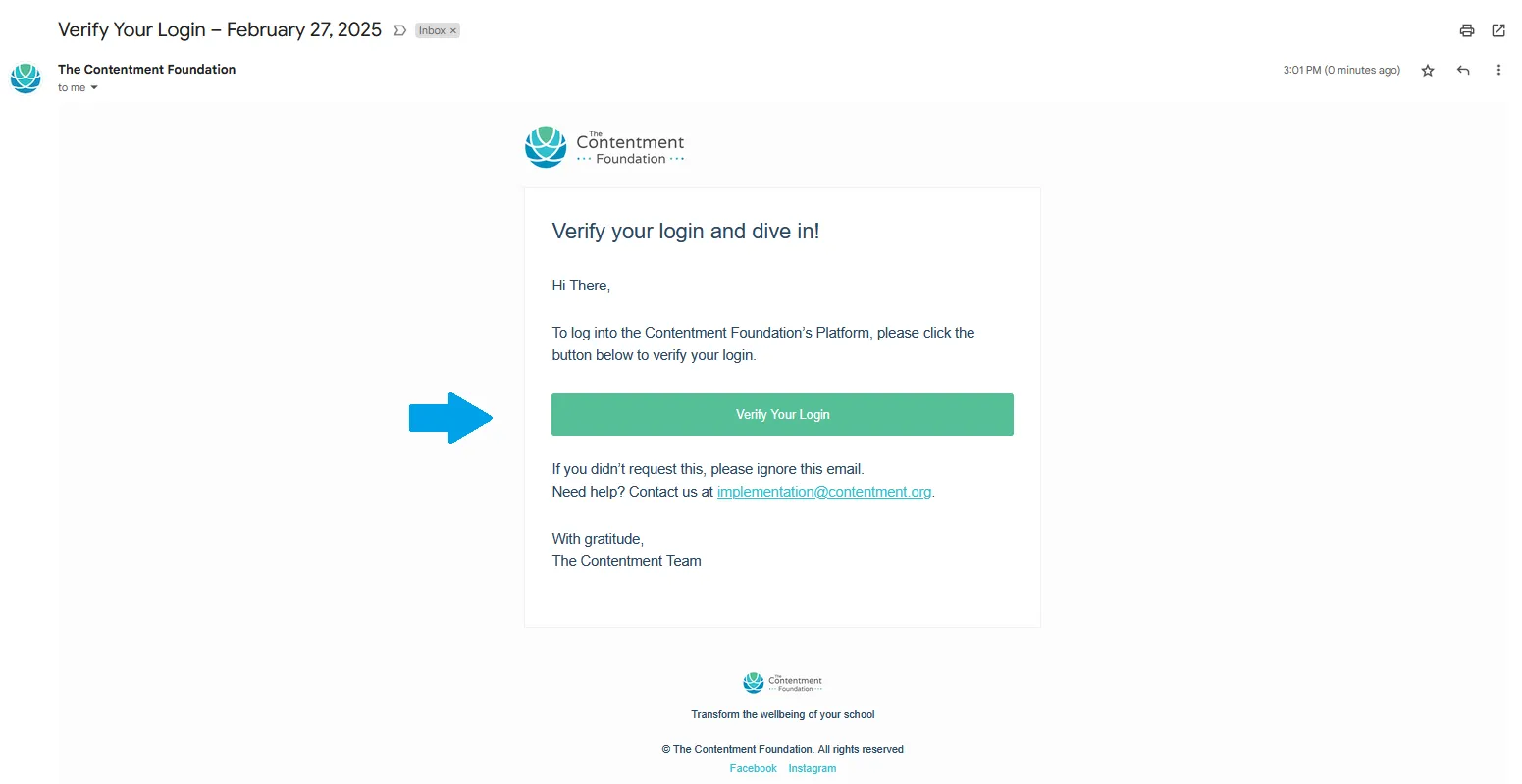
The Verify your Login email 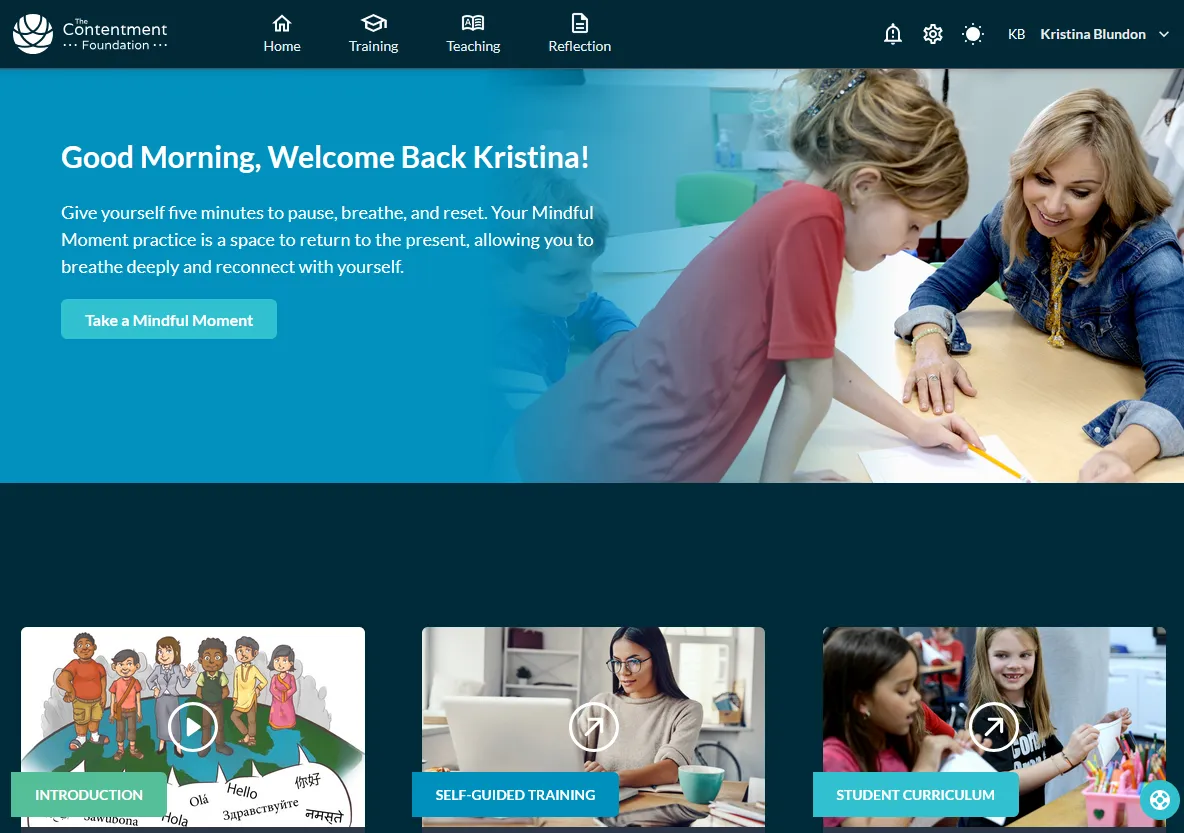
The platform opening after verification Swipe to see all 4
-
Go to the Live Training page
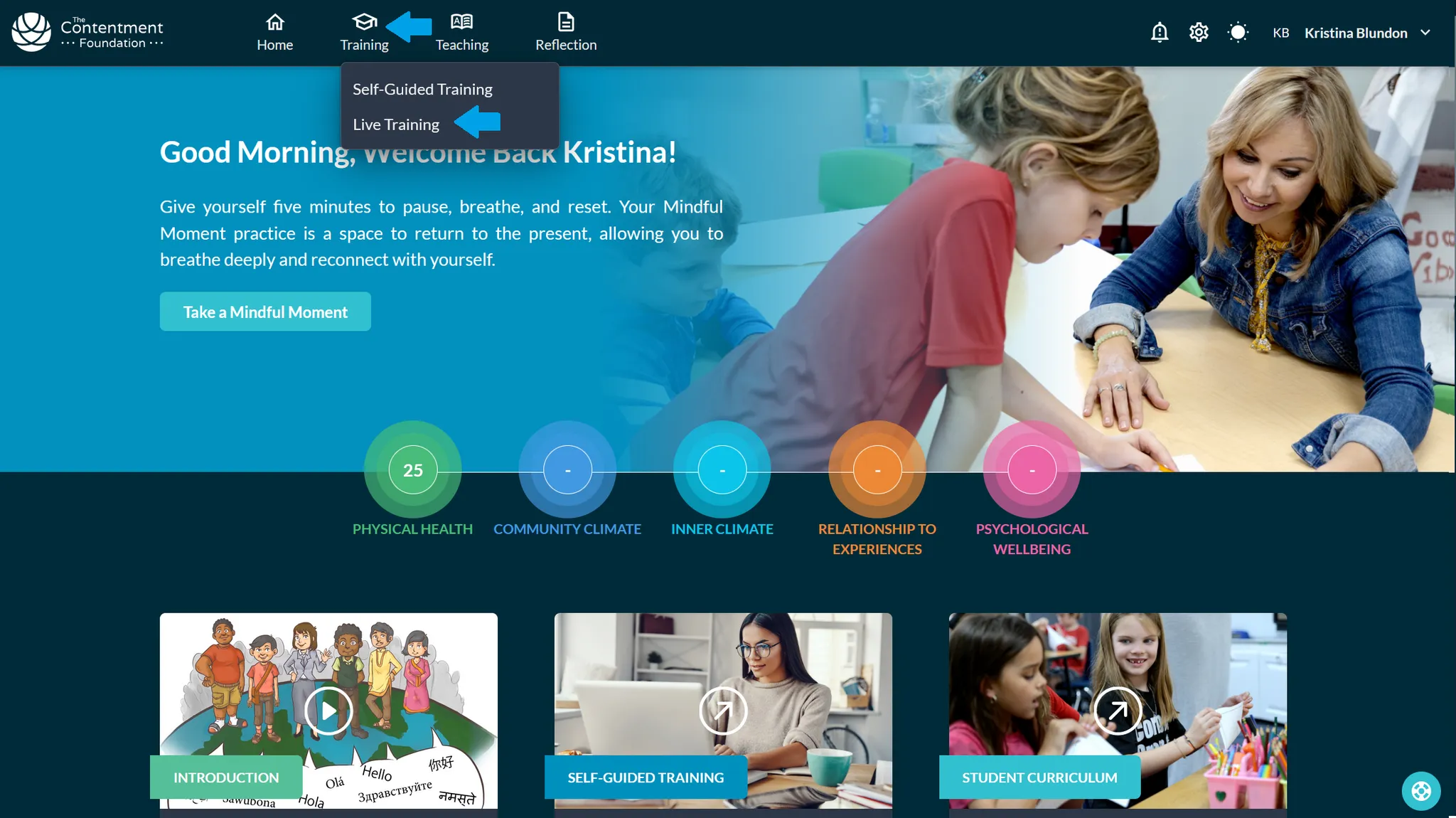
Hover over Training in the top toolbar. Click on Live Training.
-
Join your Live Training session
Find your Live Training. Click View Details.
Click Join Training. You’ll be redirected to the Live Training Session on Zoom.
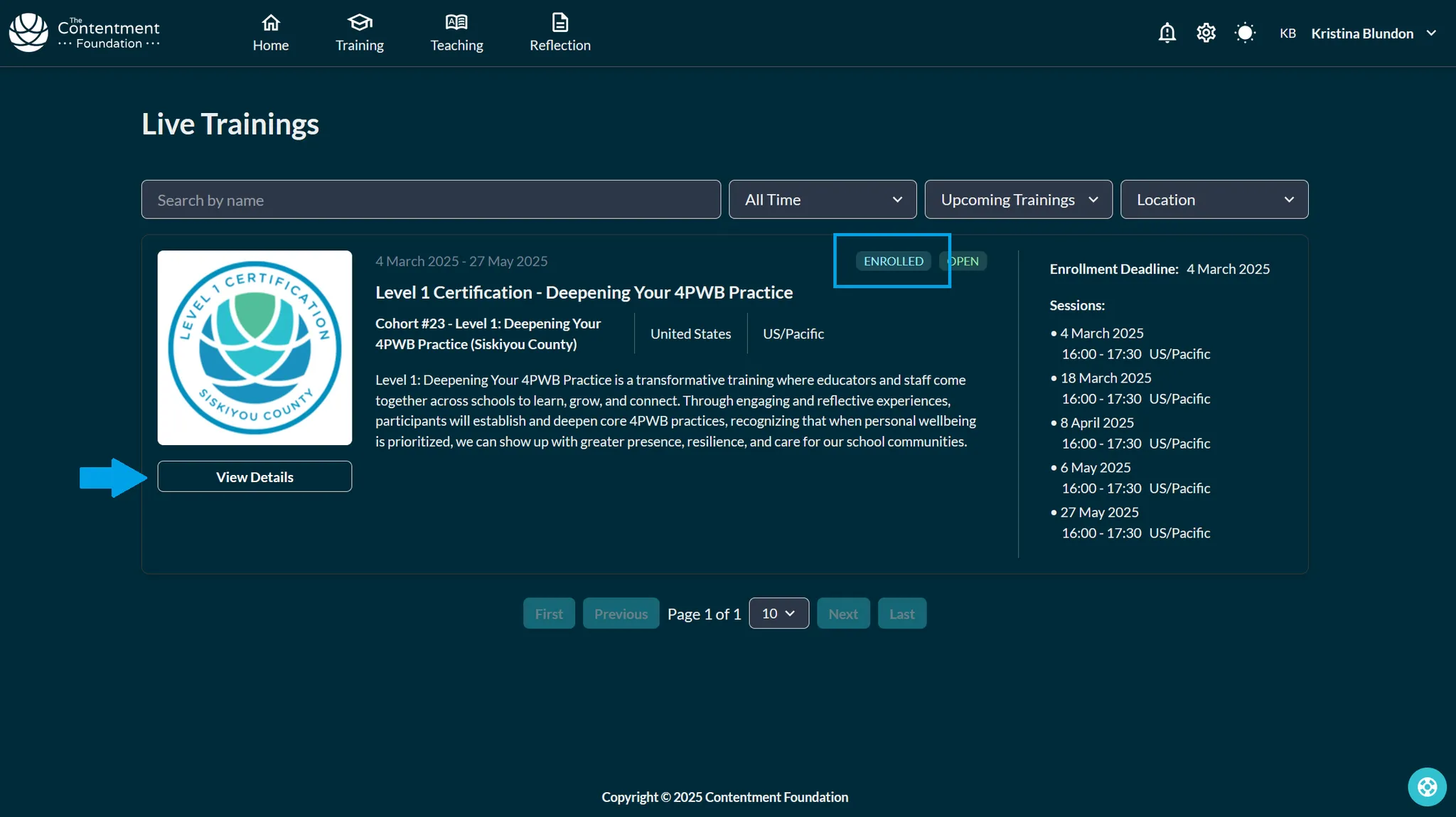
The live training listing with View Details 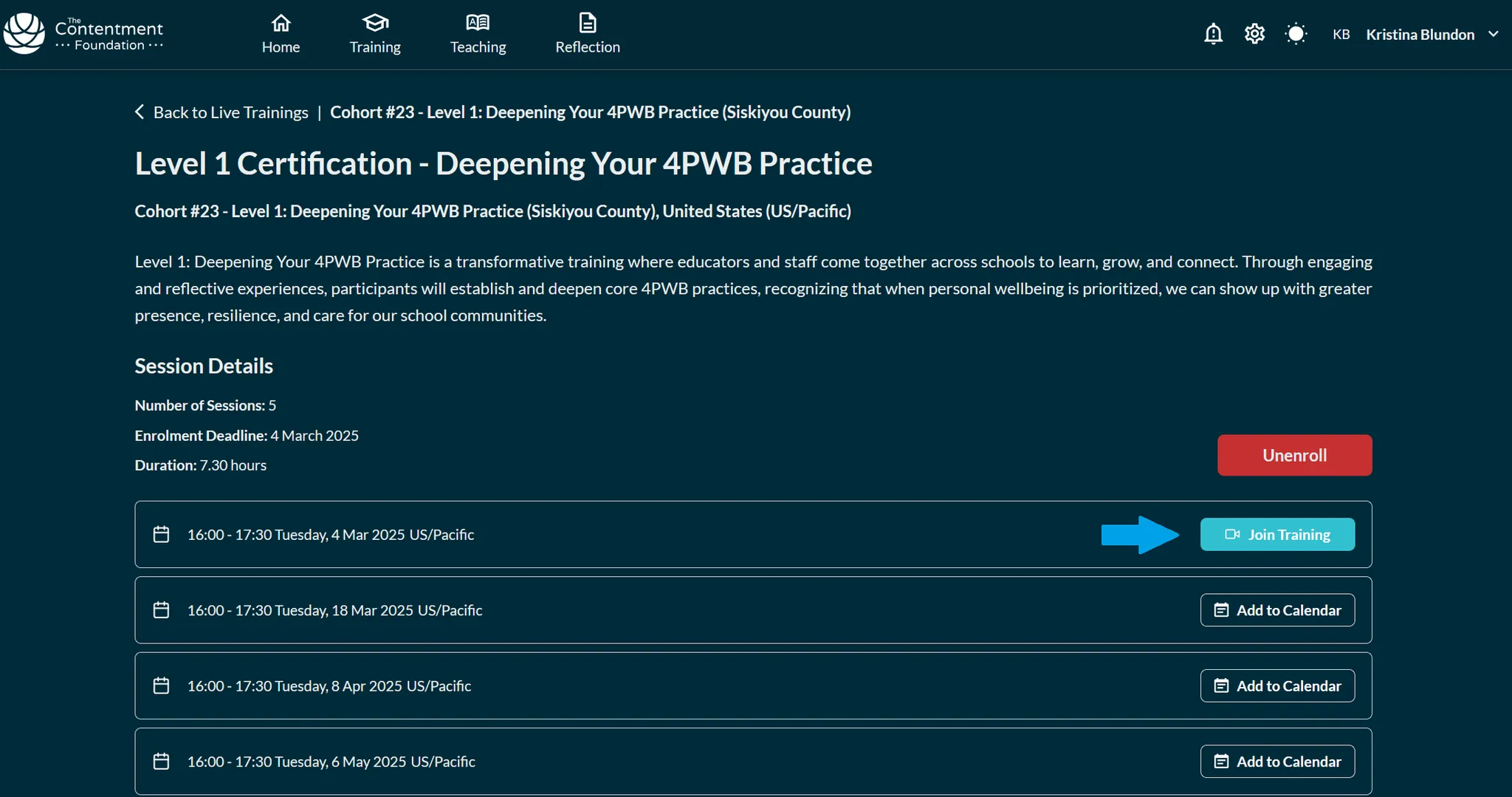
The Join Training button on the session Swipe to see all 2
-
🎉See you in the Zoom room!
-
Added note: leave feedback after a training session
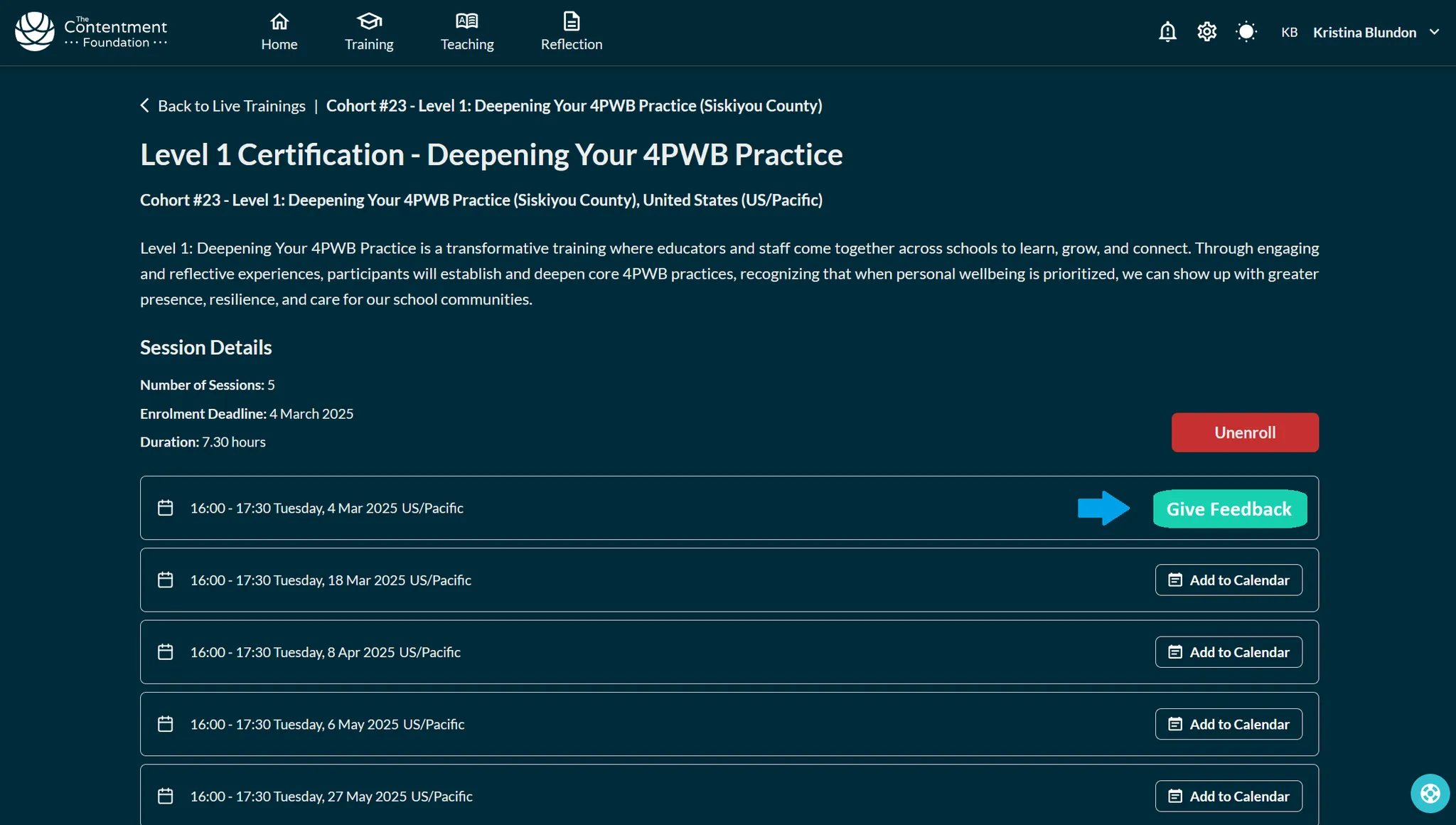
We really value your feedback! Take 2 mins to share your thoughts.
Click Give Feedback on your Live Training session. This button will appear right after each session.
-
Added note: add all sessions to your calendar
Make sure you don’t miss a session! Repeat this process for all sessions.
Click Add to Calendar. Select your calendar.
Add each Live Training session to your calendar.
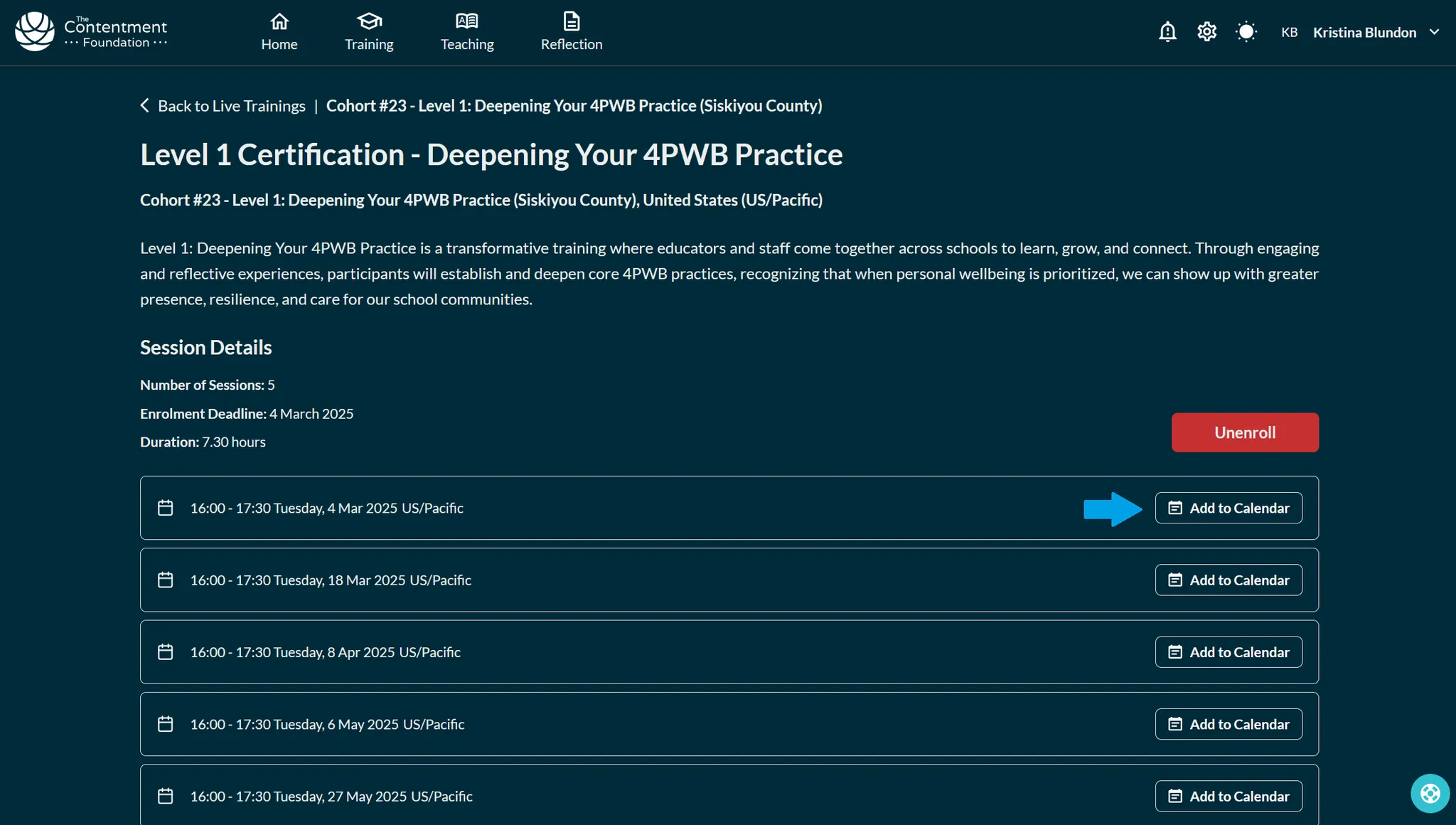
The Add to Calendar button on a session 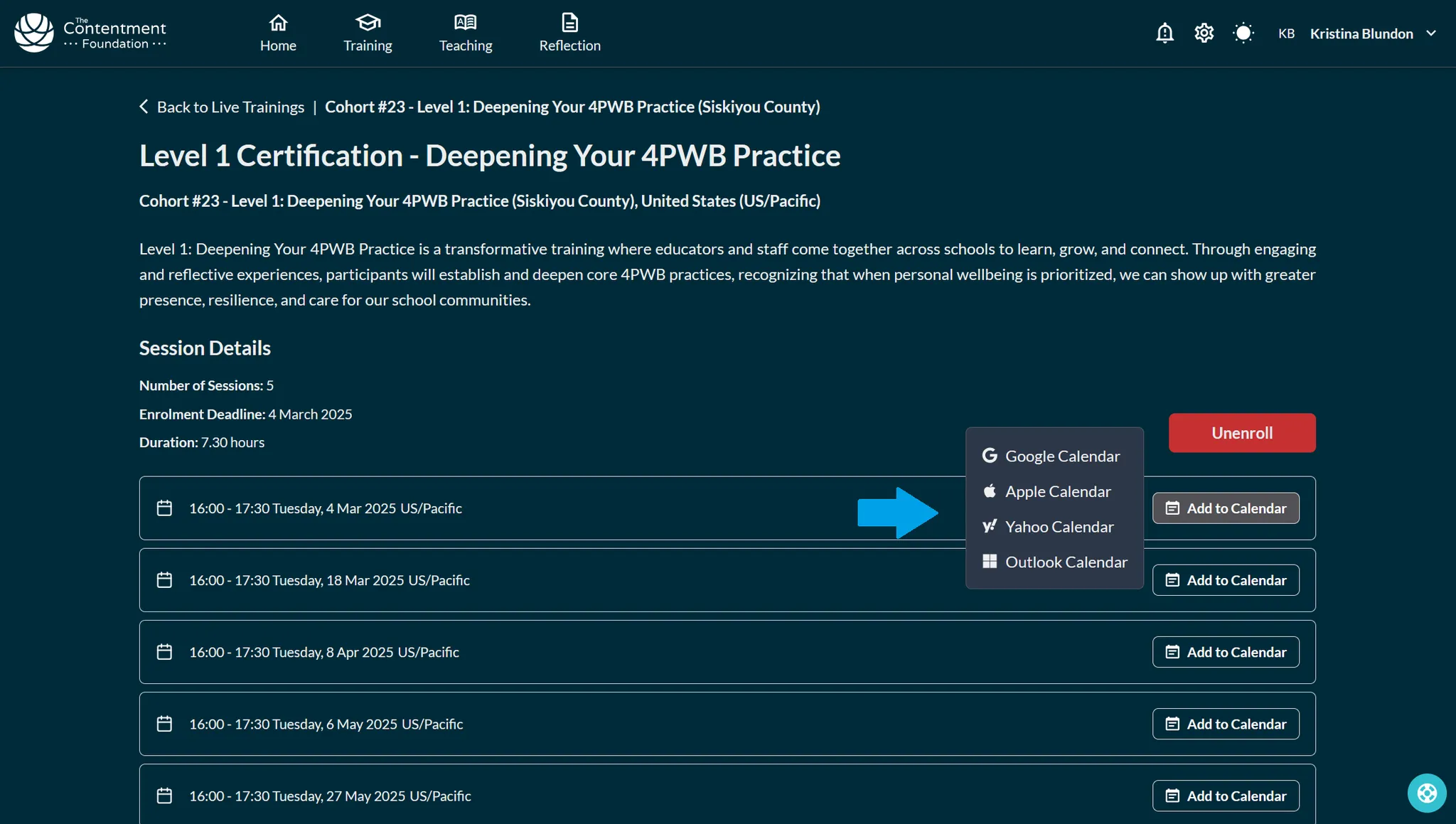
Choosing which calendar to add the session to 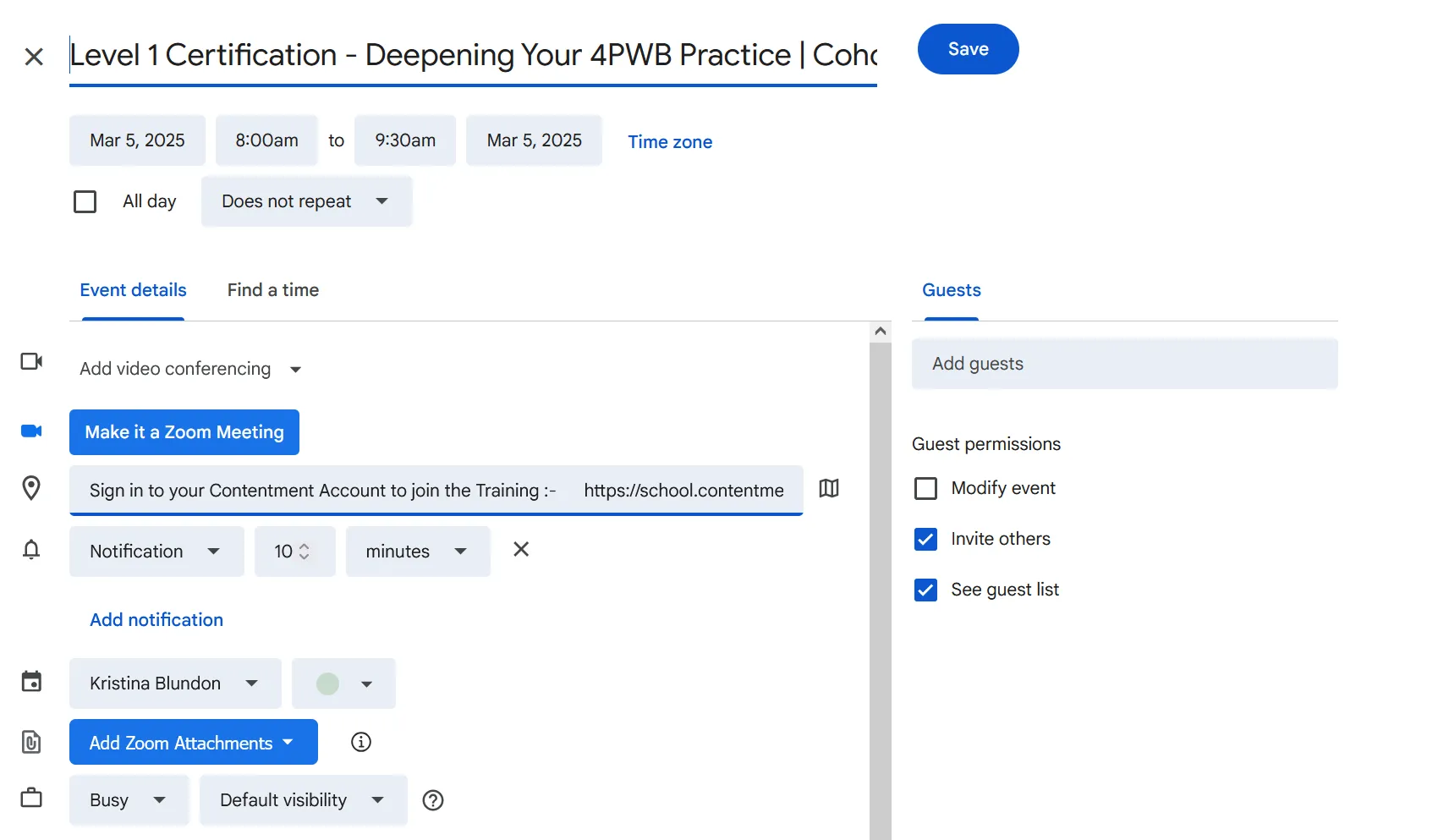
All training sessions added to the calendar Swipe to see all 3