

School administrators
Key functions for school administrators
Inviting staff, managing roles, resending invitations and sending reflection reminders.
-
Invite Staff Members
Click the settings gear icon in the top-right corner.
Select Manage Staff Members and click Invite Users.
Enter the email address and click the + icon to add multiple emails.
Click Send Invitation to invite staff members.
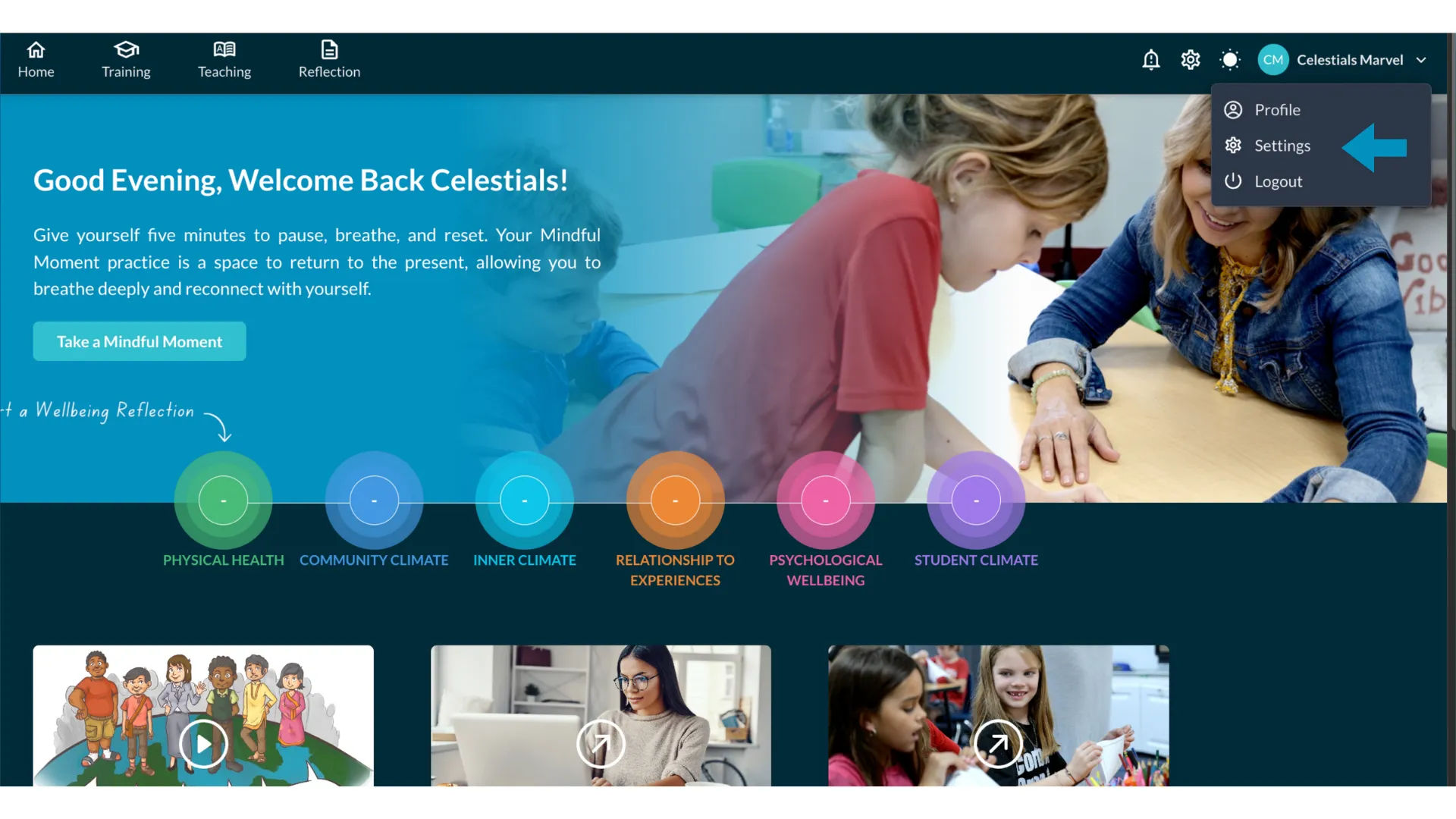
The settings gear icon in the top right corner 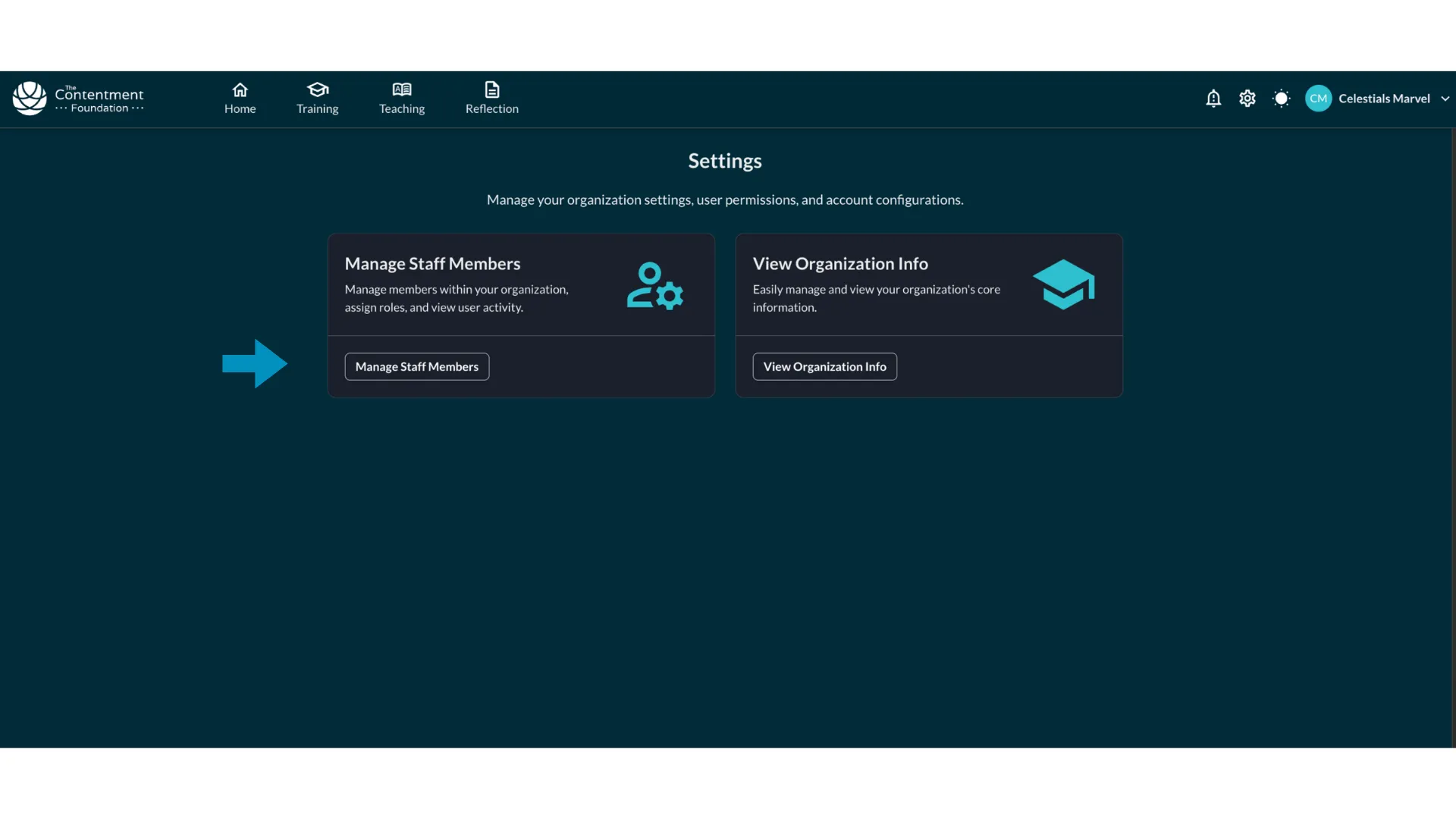
Manage Staff Members with the Invite Users button 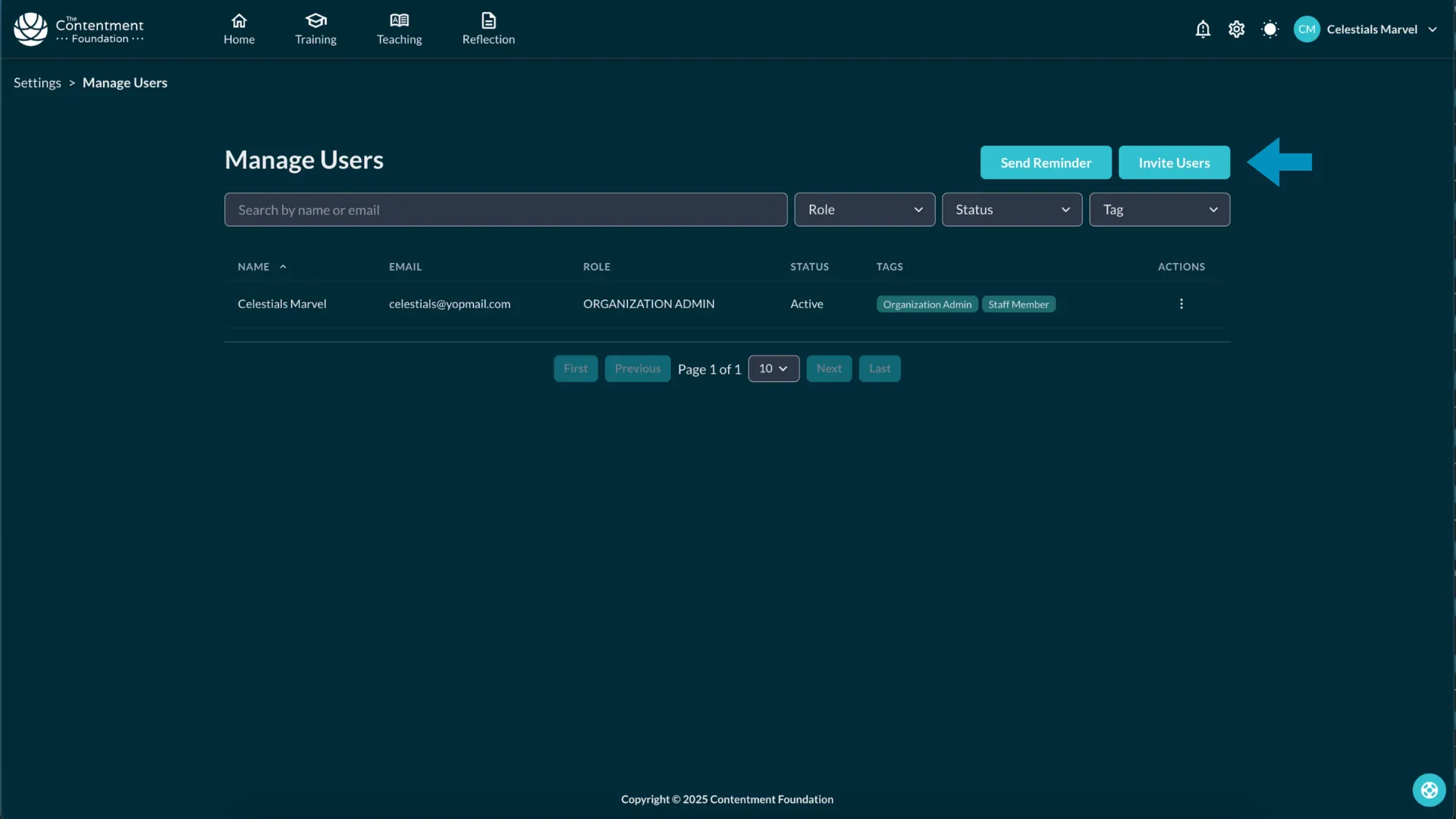
Adding several email addresses with the plus icon 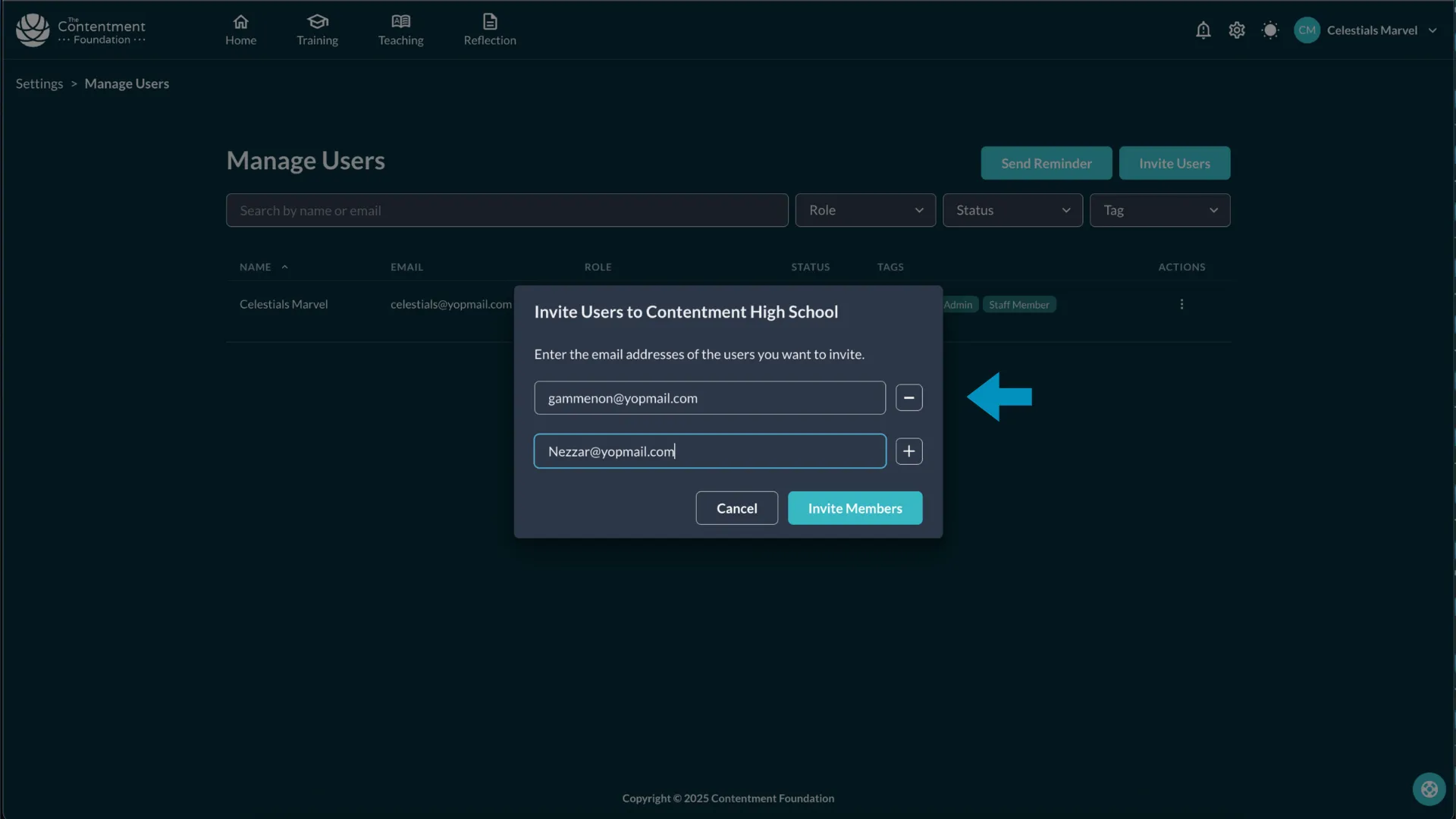
Sending the staff invitations Swipe to see all 4
-
Manage Your Team (Invite or Remove Staff)
Under Manage Staff Members, admins can:
Modify roles (Organization Admin, Staff Member).
Deactivate users or view profiles.
Search and filter by email, role, status, and tags.
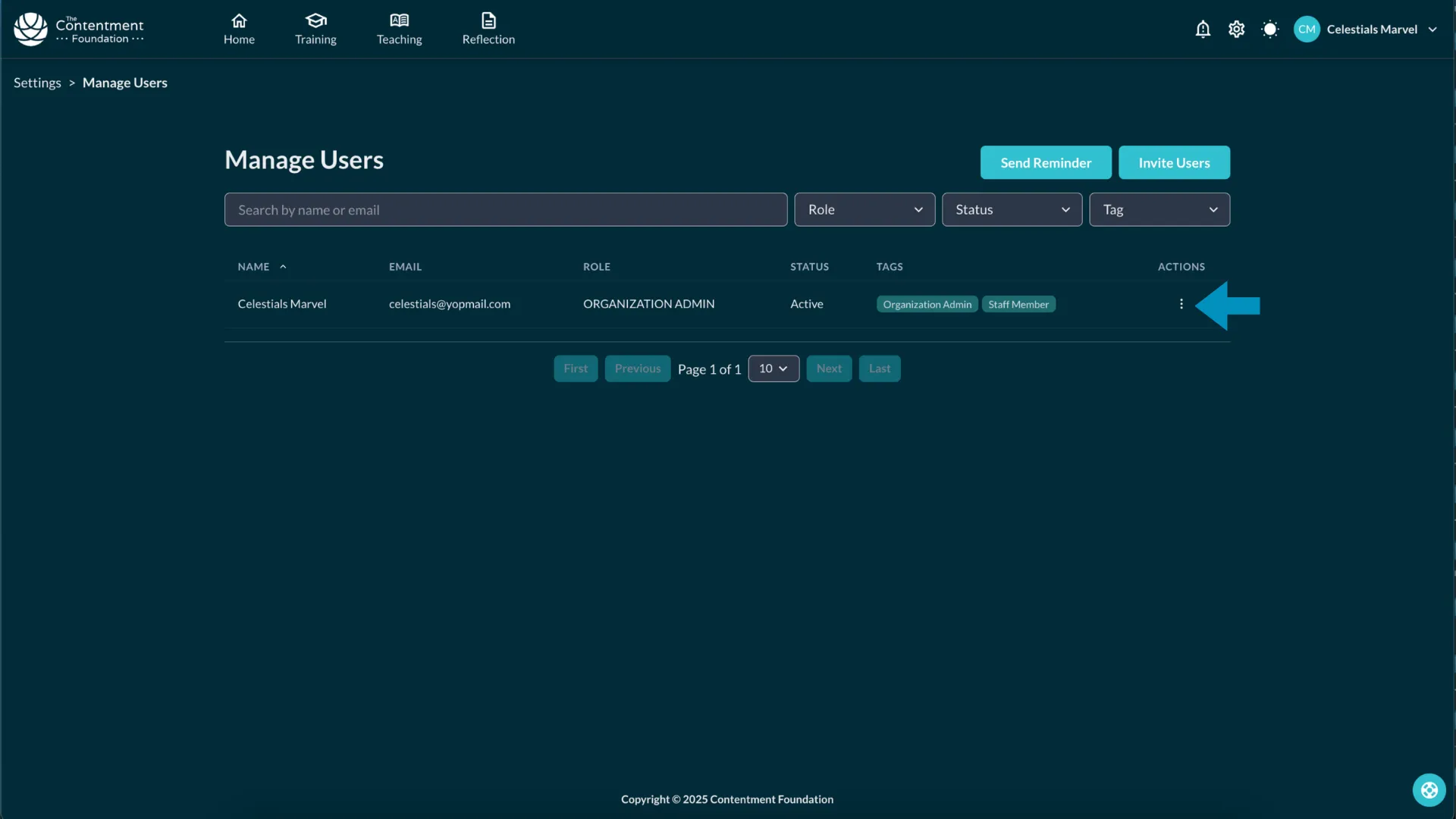
The staff member list 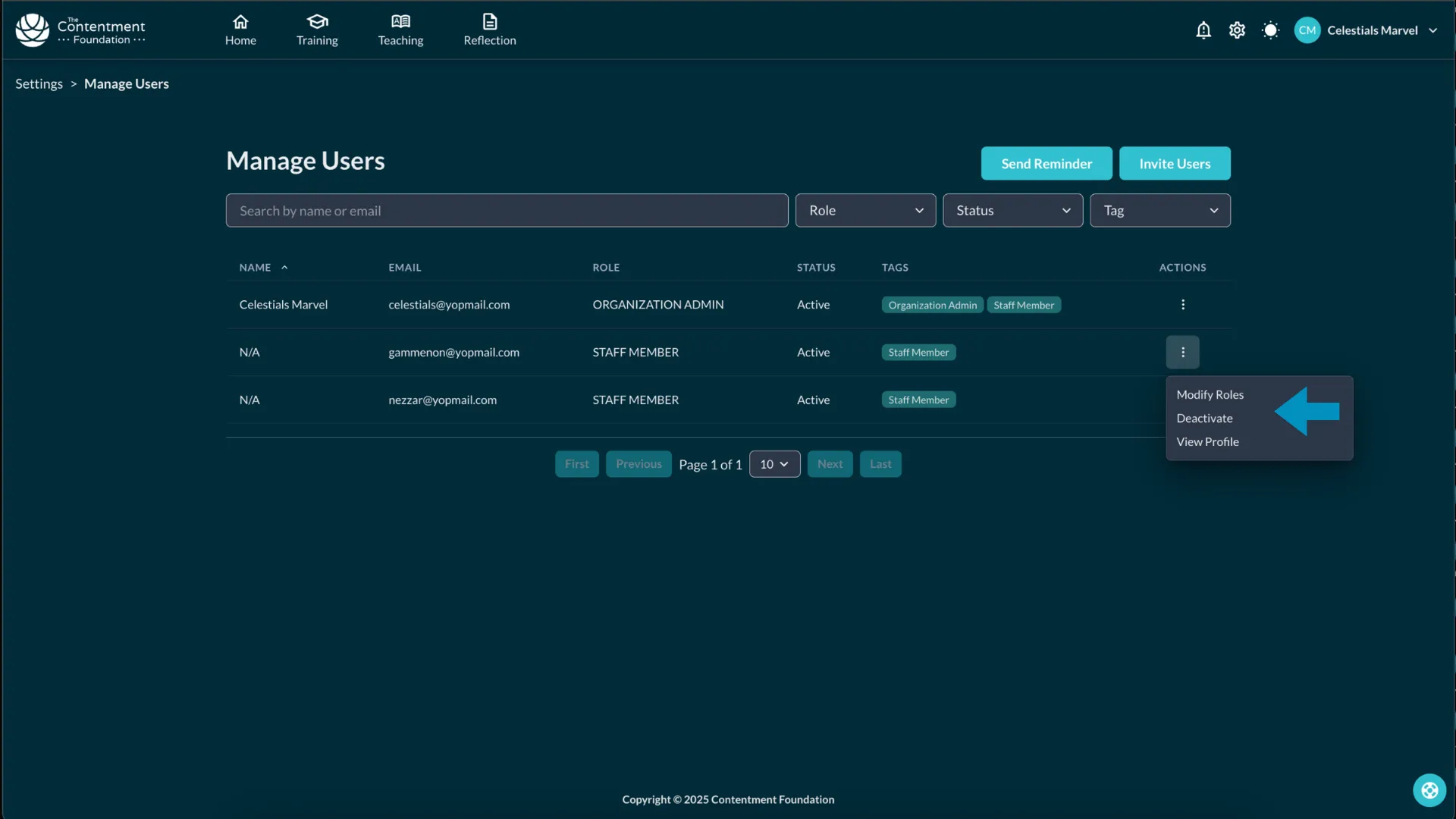
Role options for a staff member 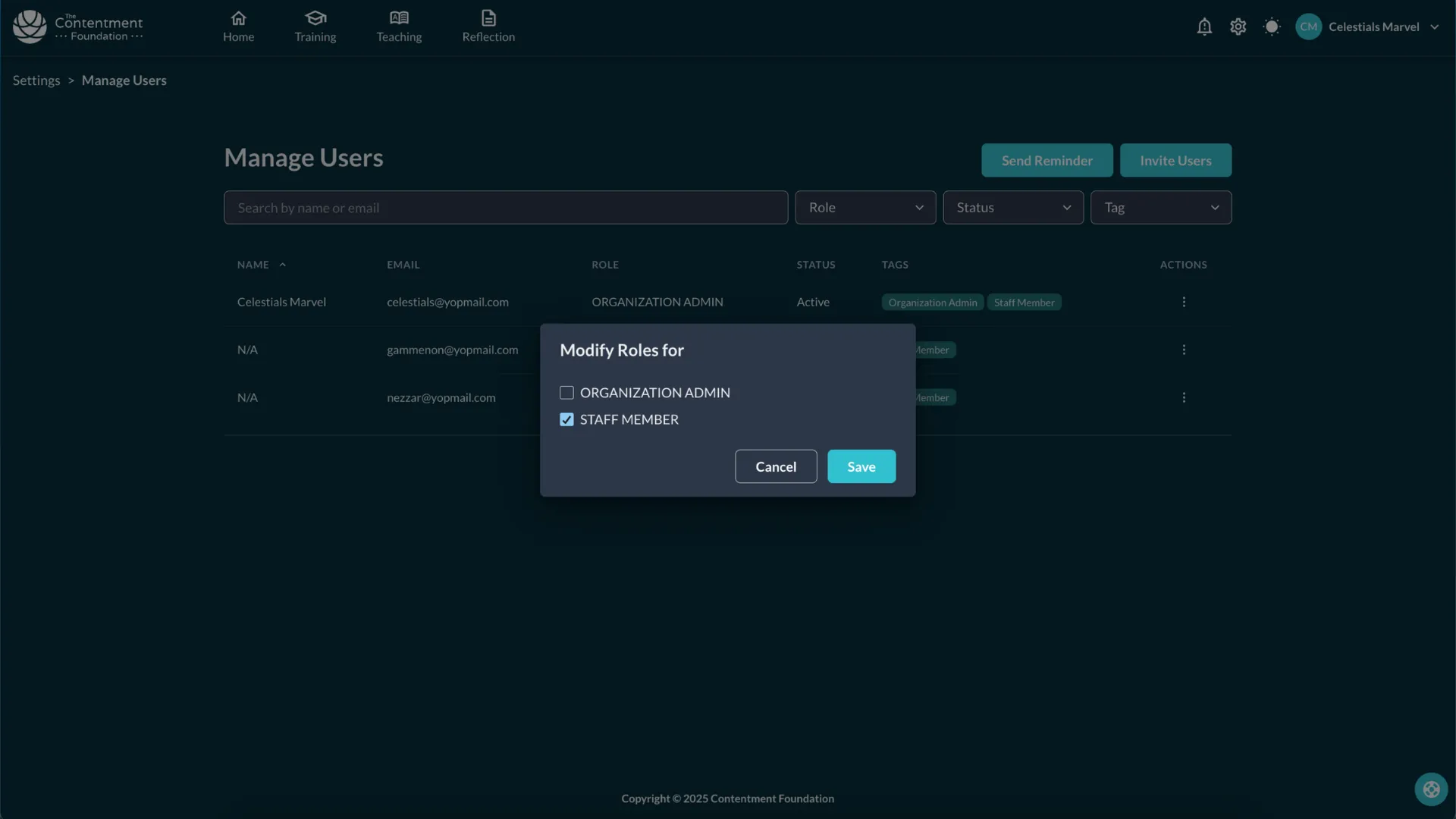
Deactivating a user or viewing their profile 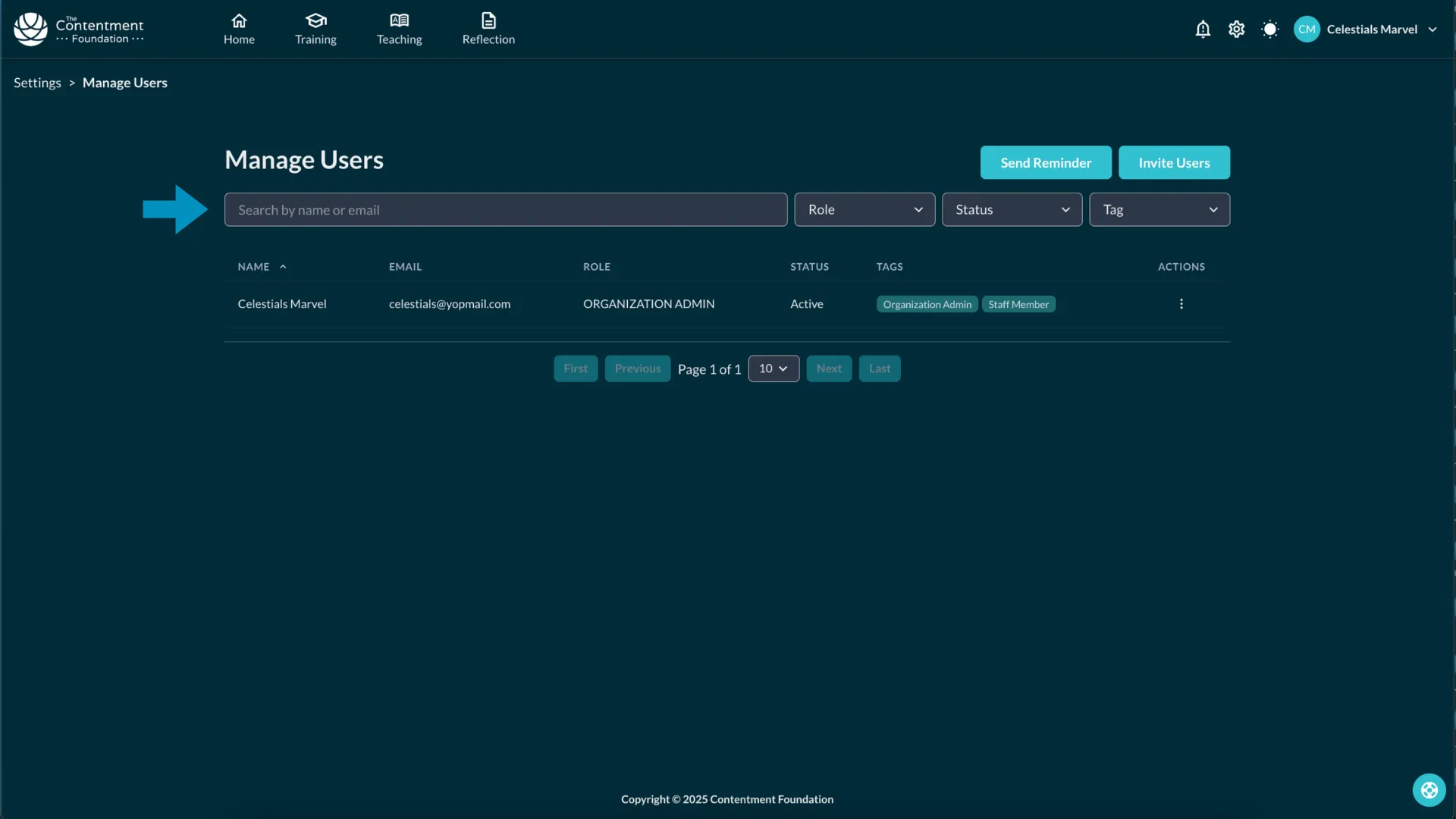
Filtering staff by email, role, status and tags Swipe to see all 4
-
Change a Member’s Role
Click the three-dot menu next to a member’s name.
Select Modify Roles, check/uncheck roles, and click Save.
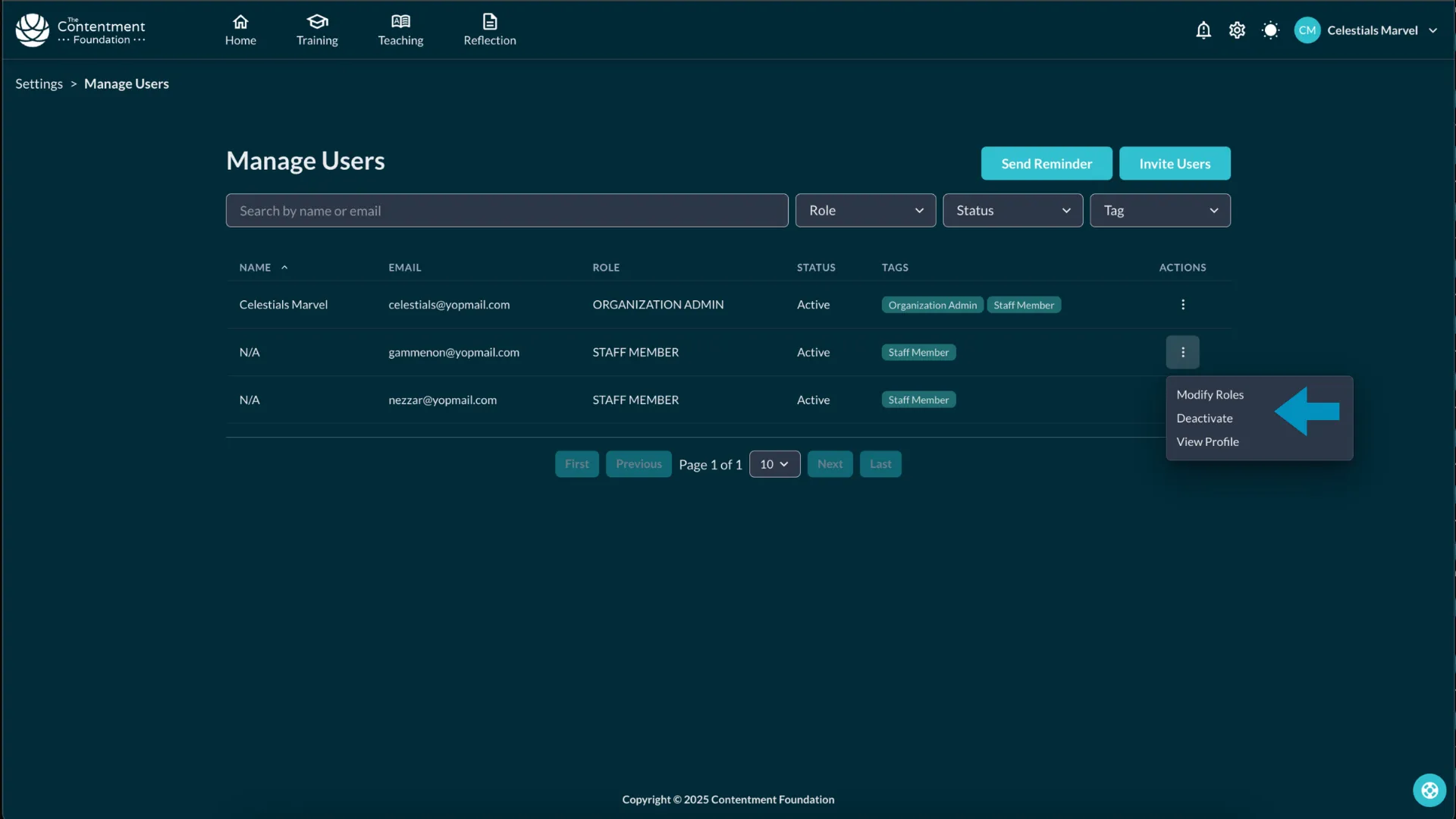
The three dot menu beside a member name 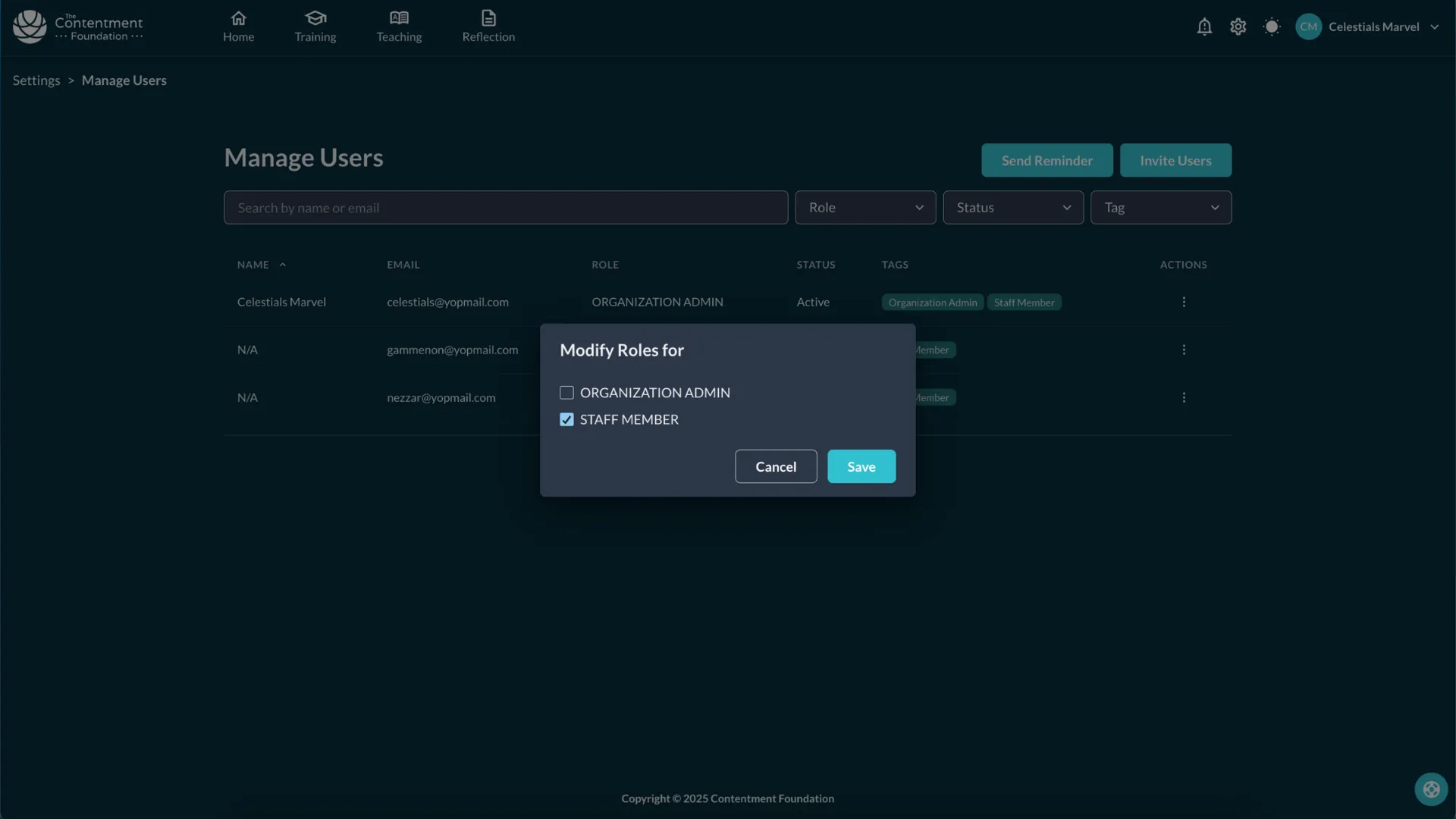
The Modify Roles checkboxes before saving Swipe to see all 2
-
Resend an Invitation
Click the Send Reminder button to resend invitations to users who haven’t activated their accounts.
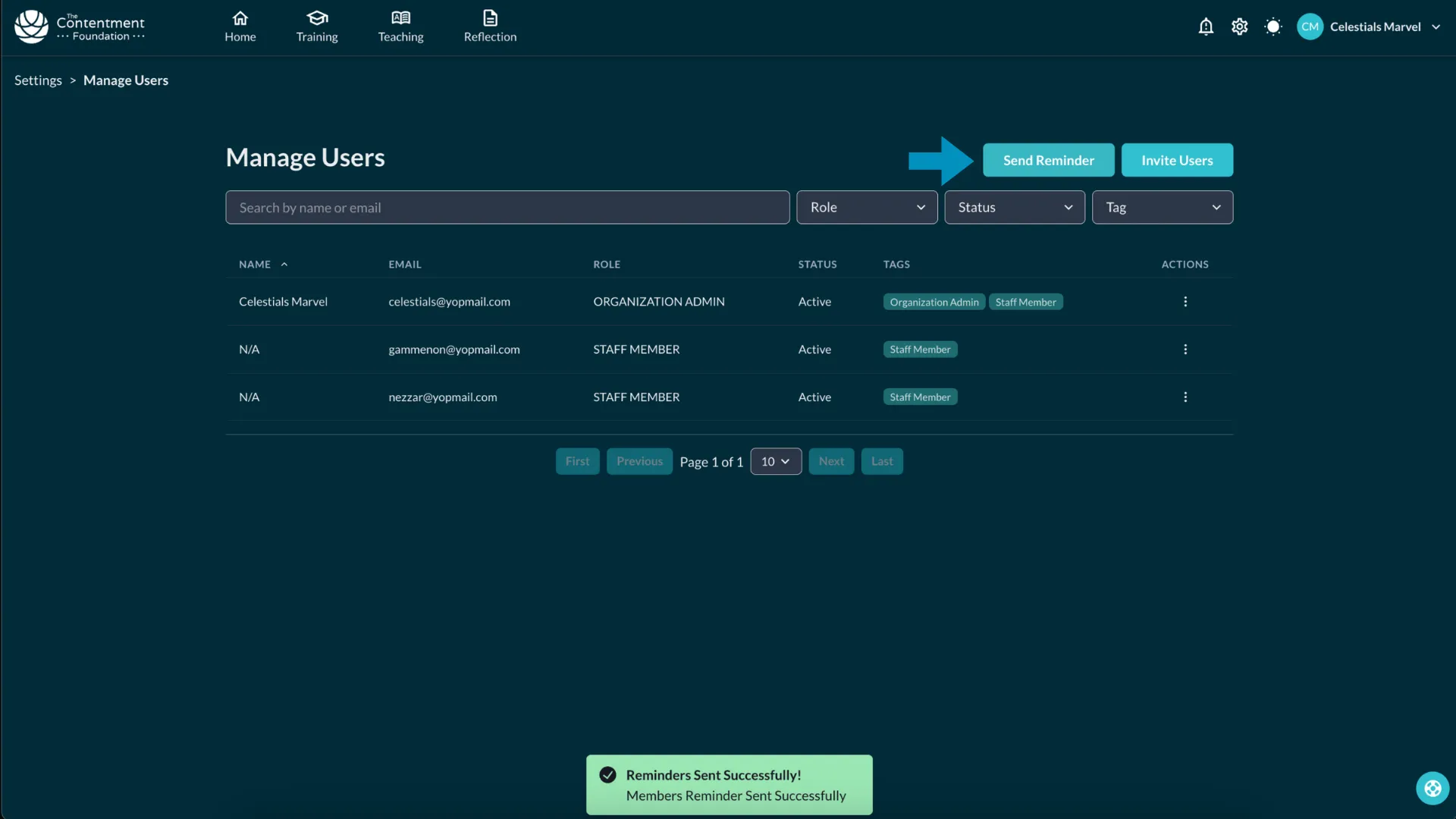
-
Reminder to Complete Reflection
In Reflection, select School Wellbeing from the dropdown.
Click Send Reminder in the popup to notify users.
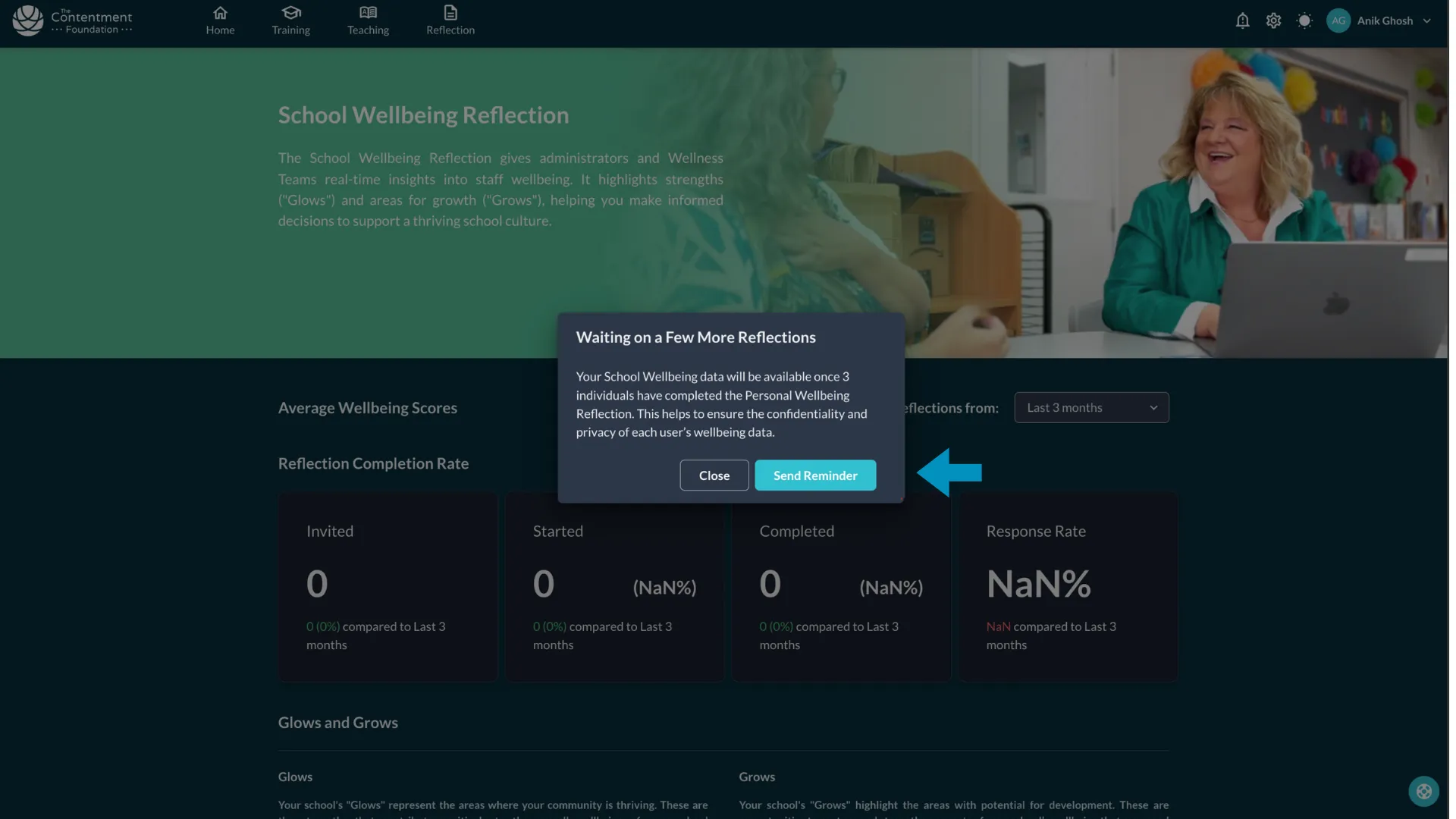
-
Admin Tip: Keep staff records updated by managing roles and reminders regularly. 🚀